How Push discovers apps and adds support for new SaaS platforms
Last updated: November 13, 2026
Push frequently reviews and adds newly identified apps, prioritizing by the platform’s popularity and business relevance.
When we observe a login to an app via the Push browser extension or through an API integration, we capture anonymized data that contains the login URL of the SaaS platform. When Push sees a login to a platform it already recognizes, it's added to your app inventory as a supported SaaS app. When it sees a login to a platform it doesn't yet recognize, that app shows up in your Other apps list in Inventory > Apps instead, it is also flagged for internal review and prioritization for future support.
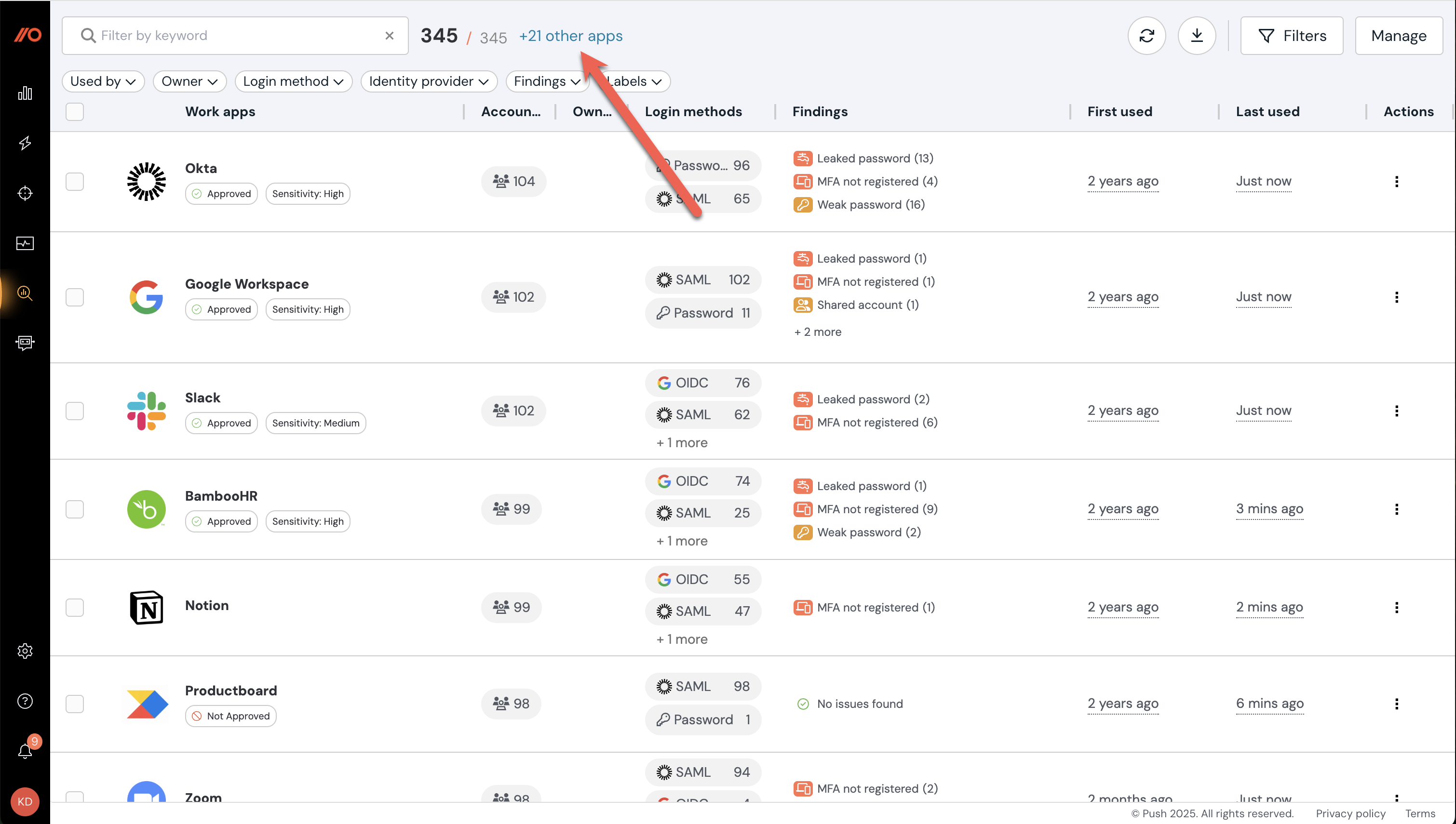
The other apps list includes internal apps on non-publicly-accessible domains, such as apps with a domain of “.internal,” “.intranet,” or “.corp.”
Note: If you have not added custom login URLs for your IdP, you may see it appear in the “Other apps” list in the admin console. To get it recognized as a work app, add your custom login URL.
The "Other apps" list
Apps that Push hasn't yet added formal support for appear in your Other apps list. For each one, you can see:
The login method used
When the app was last seen in use
Which employees have accessed it
What's not yet available: enrichment data — such as account security findings — isn't generated for an app until it's been formally added as a supported work app.
Requesting an app review
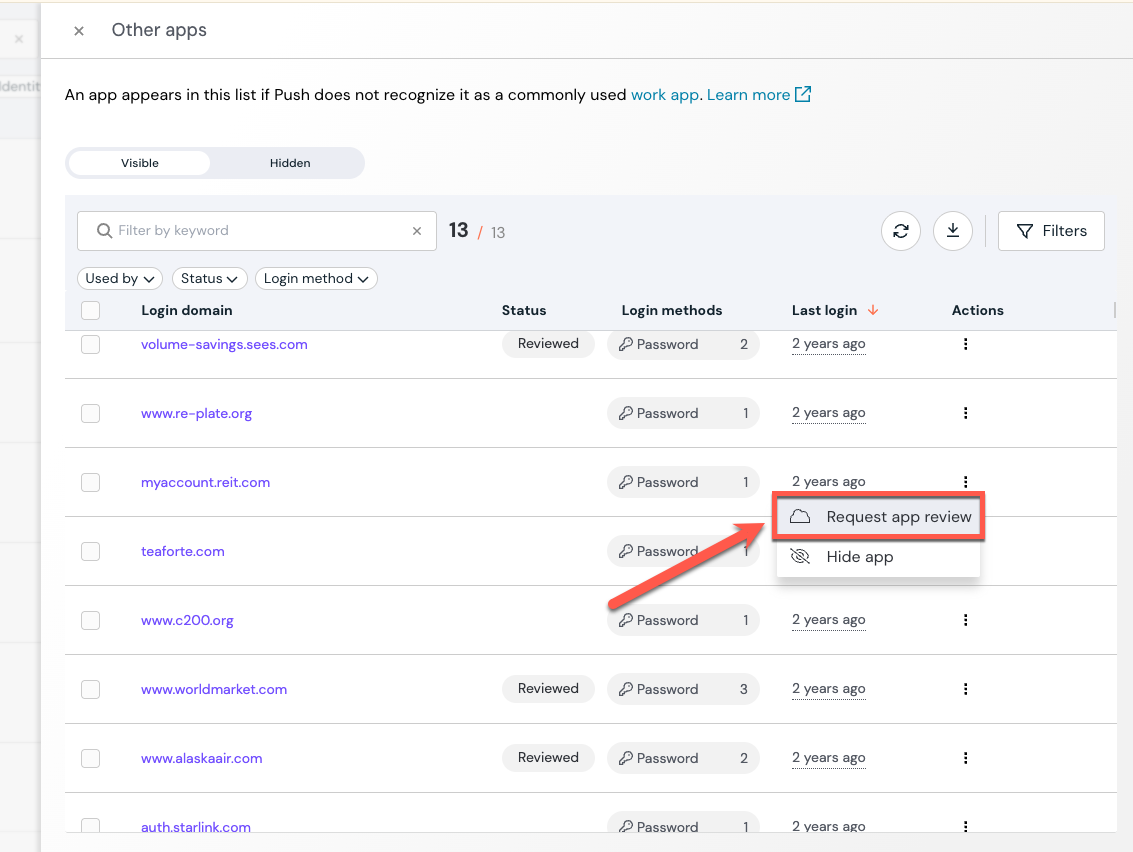
If you'd like Push to formally support an app from your Other apps list, you don't need to contact us directly — you can submit it for review straight from the console using the Actions menu.
When reviewing a request, Push considers:
Mainstream work adoption —Do many companies use this app in a work context, or is it virtually always used in a personal capacity?
Security risk — If an account on this app is compromised by adversaries, is there any impact? For example, an attacker gaining access to a static online newspaper subscription carries little risk as there is no company data or onward malicious action that could lead to further attacks.
Privacy considerations — Employees have a higher expectation of privacy for apps that indicate a personal political belief (such as a political donation website) or that could disclose personal details about an employee (such as a mental health care website). This category of apps is rarely used to process company data, and would be unlikely to be added as a work app in Push.
In general, though, we err on the side of including a requested app. If you have questions or feedback about the app review process, please contact us.
Hiding apps you don't need to track
If there are apps in the list you don't want cluttering your regular view (for example, apps that are clearly not relevant to your organization), administrators can hide them.
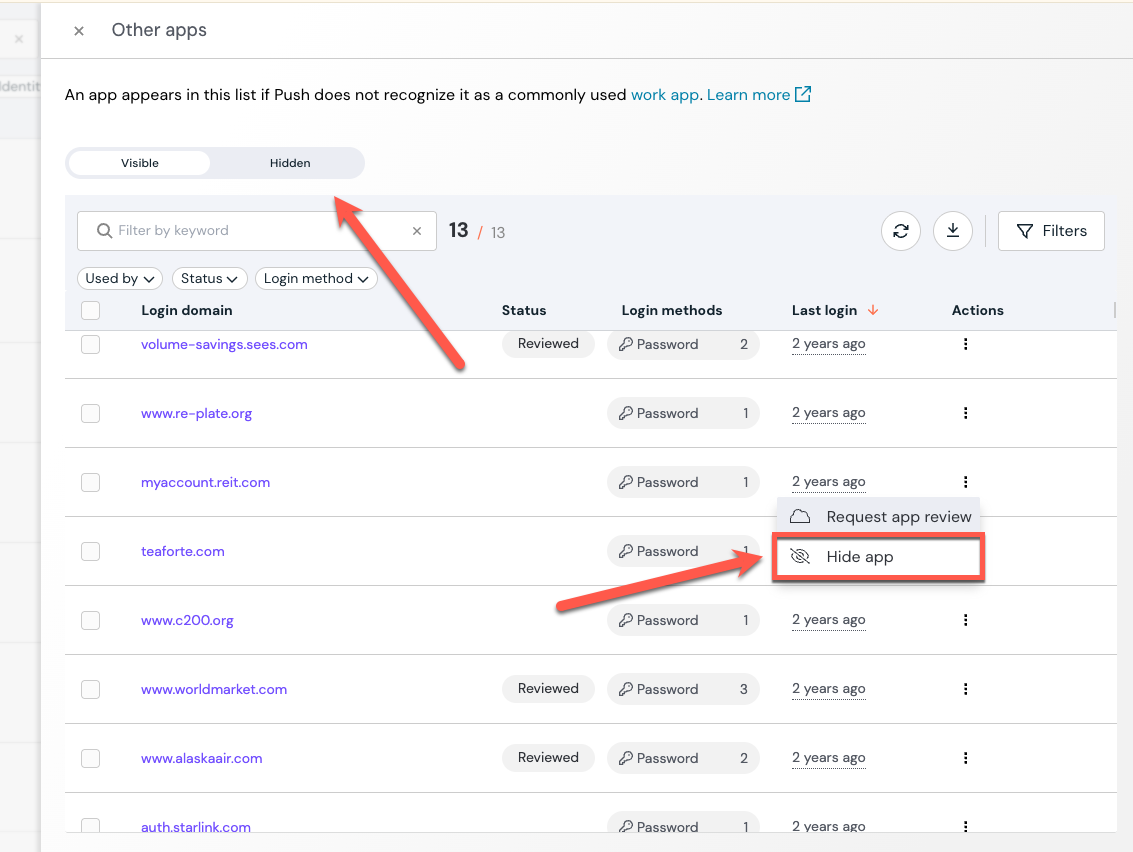
Hiding apps you don’t wish to see any activity for makes it easier to manage if you have a lot of apps in the “other” category. You can still view hidden apps and their associated activity by adjusting the filter.
How Push adds support for new SaaS applications
Adding browser extension support for new SaaS platforms requires releasing a new version of the extension. This can happen as frequently as multiple times a week.
A new release of the Push browser extension requires no action on the user’s part and updates automatically. New releases by Push are usually accepted and published within hours of submitting them to the Chrome, Firefox, and Apple stores.
When we add support for detecting new social logins, we update our API integration code, which requires no action on the user’s part and updates automatically. Once the new detection code is released, Push can begin identifying those social logins within an hour.