How do I add administrators in Push?
Last updated: November 18, 2026
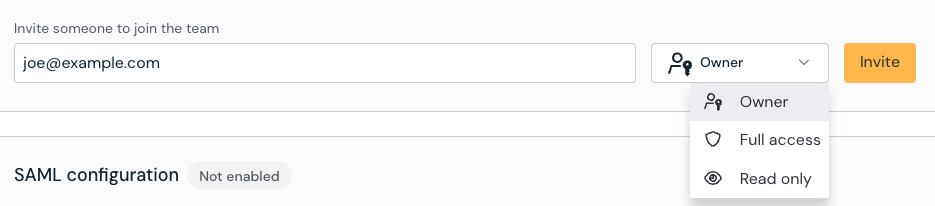
To invite other administrators to the Push admin console, go to Settings > Organization to send an invitation via email. When you invite a new admin, you’ll need to set their role: Owner, Full access, or Read only.
Only Owners can edit roles, delete your team (e.g. tenant), change default SAML roles, or update your team name. Push will assign the Owner role to the first signed-up admin on a given team (e.g. tenant). There must be at least one Owner role assigned per tenant; you will not be able to remove the only Owner in your organization without adding a new one.
Full access admins have full access to the Push console and can make configuration changes to controls or other features not limited solely to Owners.
Read-only admins can only view the Push console and cannot make any changes.
Administrators do not consume a license for billing purposes unless you also create an employee record for them in Push and assign them a license.